The Paint Contractor App for Quoting On-Site
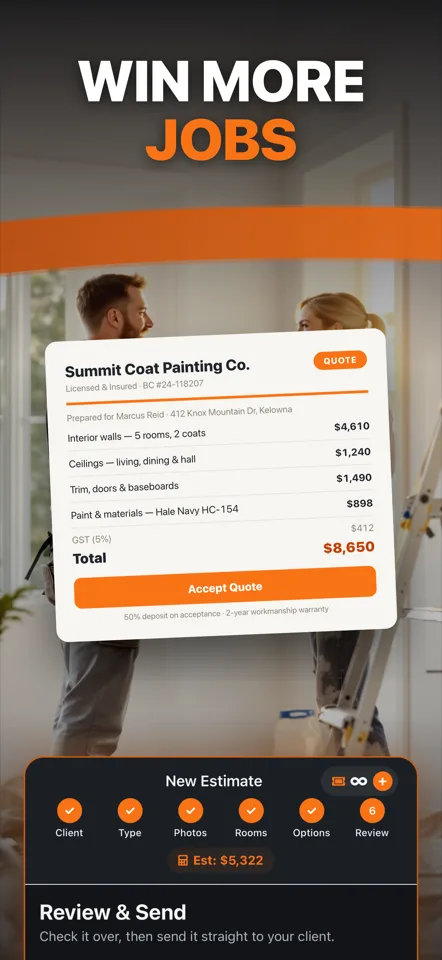
Walk the rooms, and PaintQuote Pro prices the paint, materials and labor. Send the homeowner a PDF quote before you leave. Use it on iPhone or in any browser.
Web: 2 free quotes, no credit card · iPhone: 3 free quotes, no account
What Should a Paint Contractor App Do?
A paint contractor app should turn room measurements into a priced quote (paint, materials, labor and markup), send the customer a professional PDF from the job site, keep working without signal, and let you try it free. PaintQuote Pro covers all four. The iPhone app runs offline, and the web version works on any computer or Android phone.
This is the actual app
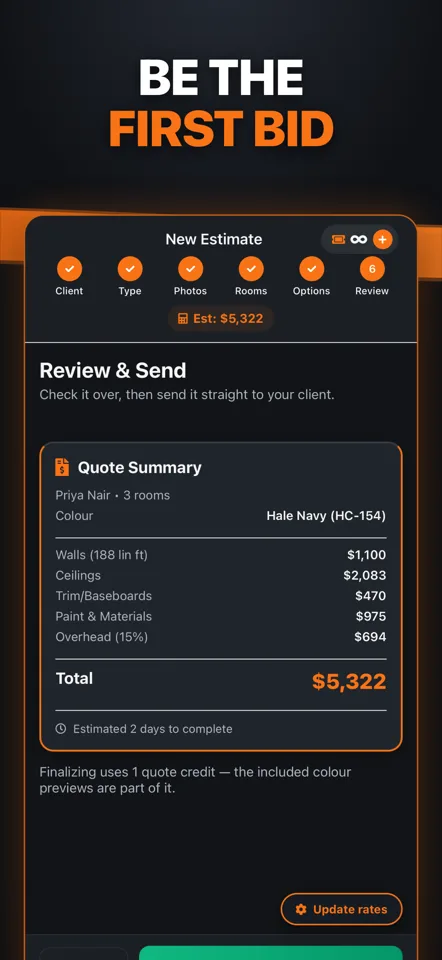
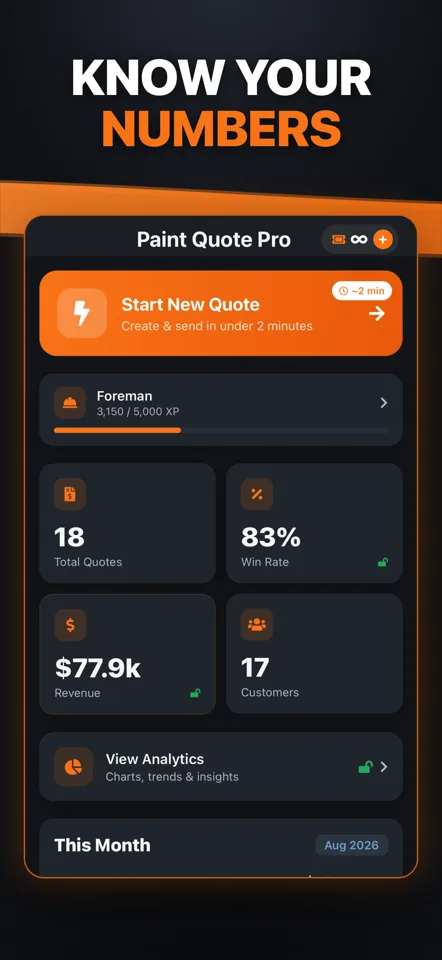
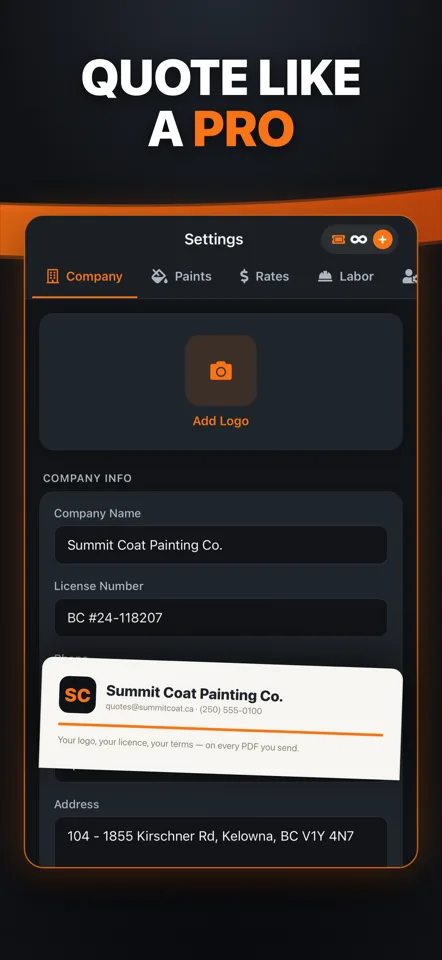
Real screens from the iPhone app: the quote builder, the AI colour preview and the job dashboard.
What the App Does
Built for one job: getting a painter from walkthrough to quote quickly.
Paint, materials and labor, priced for you
Enter the rooms or surfaces. Walls, ceilings, trim, doors and cabinets are priced from coverage and labor rates, with your markup on top.
Job-site photos
Take photos with the built-in camera and keep them with the quote.
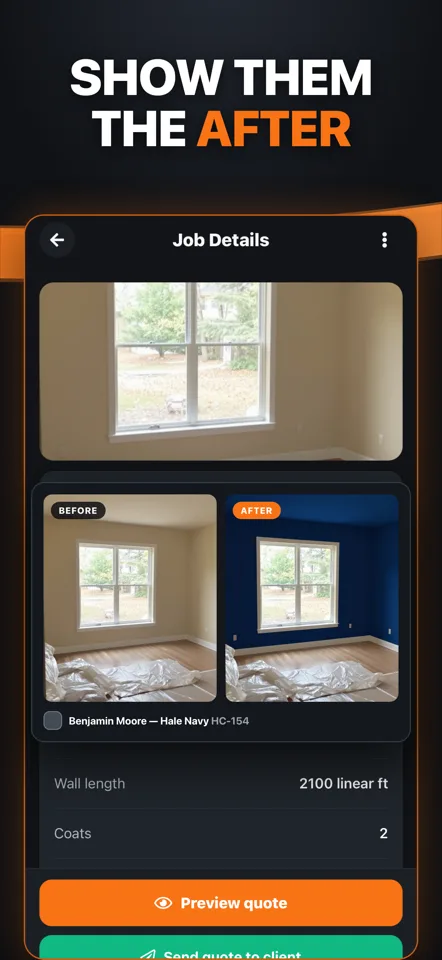
AI colour preview
Show the homeowner their own room in the new colour before they sign off on it.
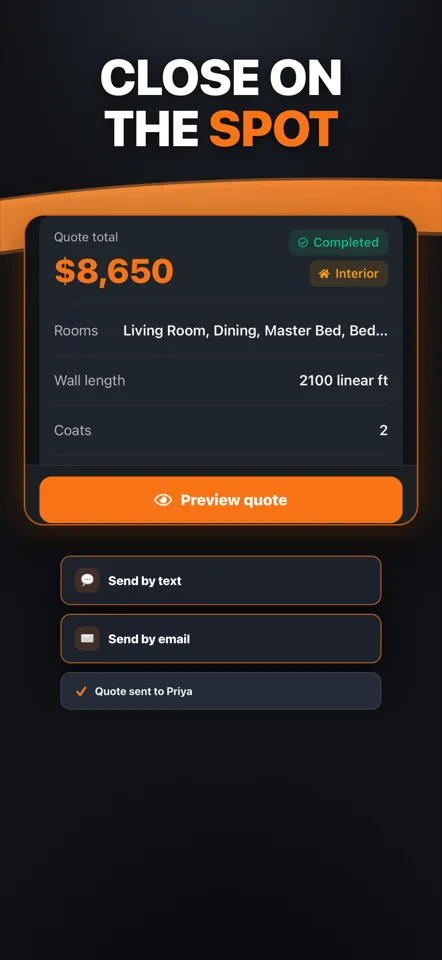
PDF quotes you can send from the driveway
Itemized PDF with your company details, shared by text or email. Your logo is included on paid plans.
Works with no signal (iPhone)
The iPhone app runs fully offline and stores your data on the device, so basements and rural jobs are fine.
Jobs, customers and win rate
Track each job from estimate to done and see revenue and win rate at a glance.
iPhone App or Web Version?
Same quotes, two ways in. Both start free.
iPhone app
- Works fully offline
- No account needed, data stays on your phone
- Built-in camera and AI colour preview
- 3 free quotes to start
Web version
- Any computer, tablet or Android phone
- Describe the job and the AI drafts the quote
- PDF download and email to the customer
- 2 free quotes, no credit card
From Walkthrough to Quote in Three Steps
- 1
Walk and measure
Add each room or surface: walls, ceilings, trim, doors, cabinets. Interior or exterior.
- 2
Check the price
Paint quantity, materials and labor hours are worked out, and your markup is applied.
- 3
Send it
Share the PDF by text or email while you are still on site.
Not sure what to charge? Read how to price painting jobs or try the painting cost calculator. Comparing tools? See painting estimating software compared.
Paint Contractor App FAQ
What is the best app for a painting contractor to quote jobs on-site?
Look for an app that prices paint and labor from room measurements, sends a professional PDF before you leave, works with no signal, and lets you try it free. PaintQuote Pro does all four: the iPhone app works offline and starts with 3 free quotes with no account, and the web version starts with 2 free quotes with no credit card.
Is there an Android version?
Not a native one yet. The app on the App Store is iPhone only. On Android, use the web version in your phone’s browser: it builds the same quotes and PDFs, with no install.
Does the app work without internet?
Yes, the iPhone app works fully offline. Quotes and photos are stored on your device. The AI colour preview needs a connection.
Do the iPhone app and the web version share data?
Not today. The iPhone app keeps everything on your phone and needs no account. The web version uses a free online account. Pick the one that fits how you work.
How long does a quote take?
Most painters finish a quote in about 10 to 15 minutes, including measurements.
What does it cost?
Both versions start free with no credit card. After that: pay-as-you-go quote packs, Starter at $239.99 a year for 5 quotes a month, or Unlimited at $69.99 a month or $599.99 a year.
Quote Your Next Job Free
No credit card. Your first quote takes about 10 minutes.